 EntiScan
SEO INSPECTION · IN YOUR BROWSER
Inspect the page you're viewing.
EntiScan brings technical and on-page signals, entities, and evidence together so you can review each finding in context.

Local analysis. No account needed. The Chrome Web Store lists 0.1.0; the Web capture shows beta 0.2.0.
See how it works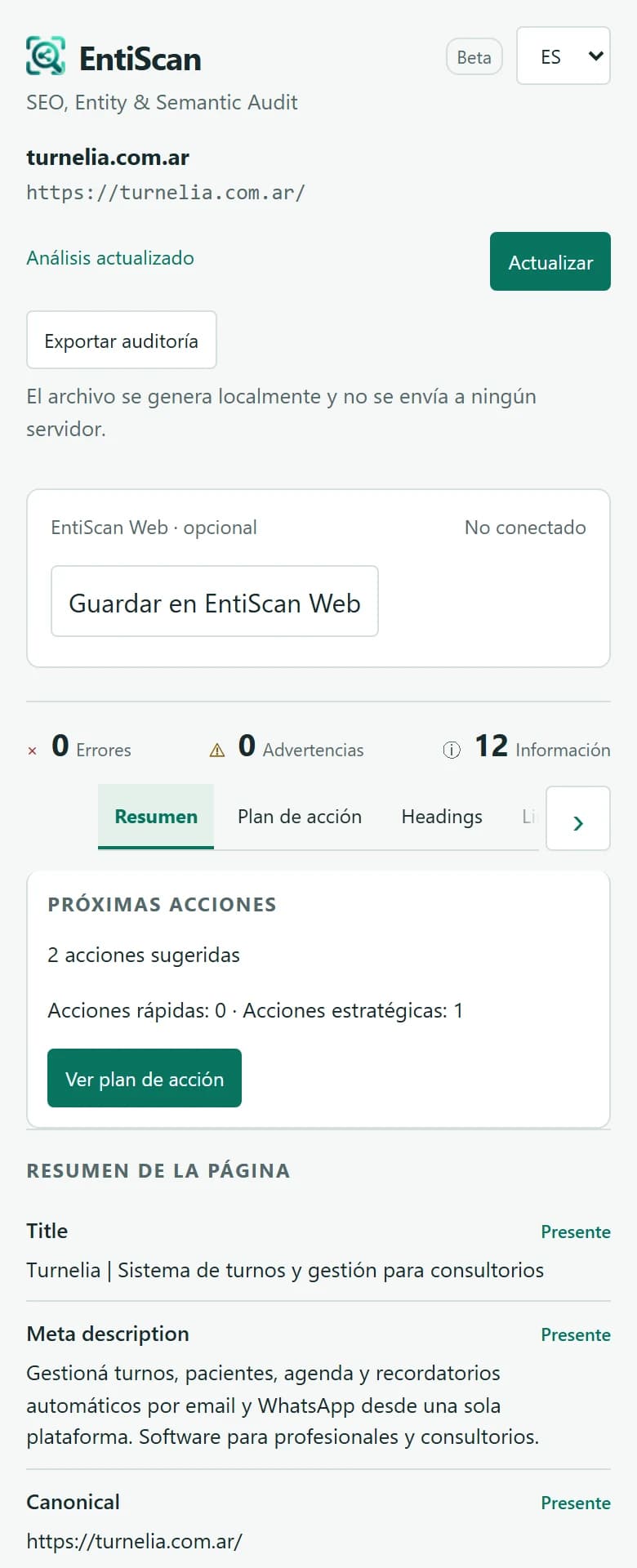
EntiScan analyzes only the tab you authorize. Nothing is saved without your confirmation.
EVIDENCE BEFORE SCORES
Every signal gives you a reason to take a closer look.
A finding is more useful when you can see where it came from and what it means. EntiScan organizes observable evidence to help you decide what to review next.
A CONCEPTUAL DIAGRAM
Signals do not stand alone.
Content and structured data add context to entities and help guide a closer look at a signal.
- Contentdescribesobserved entity
- Structured datamarksobserved entity
- Observed entityadds context tosignal
- Signalguidesfinding review
Choose a relationship
TWO WAYS TO WORK · YOU CHOOSE WHEN TO SAVE
Start locally. Add EntiScan Web when you need it.
Review a page in your browser, or connect a project to keep its history.
No account or EntiScan Web connection is required. All analysis runs in your browser.
Install and authorize
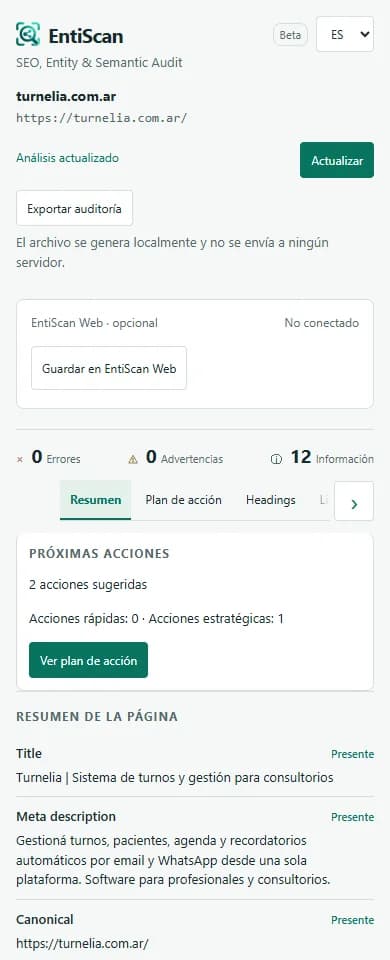
Install EntiScan and open the Side Panel on the public page you want to review.
Review the signals
Explore technical evidence, content, entities, and observed relationships.
Decide what to do
Use the action plan to support your review; it is not a score or a ranking promise.
Export locally
Create a Markdown, CSV, or JSON file on your device, then decide whether to share it.
To run another audit, select Refresh in the panel. Avoid private or sensitive pages.
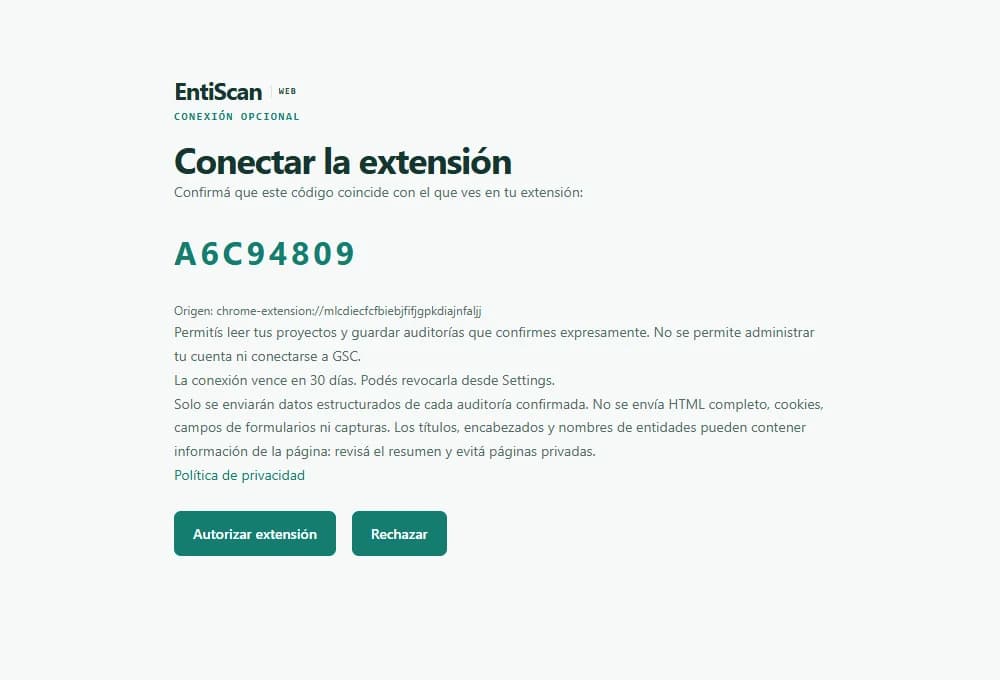
Requires version 0.2.0 or later. The Chrome Web Store currently offers version 0.1.0 for local analysis. Connecting does not send audits.
Connect your workspace
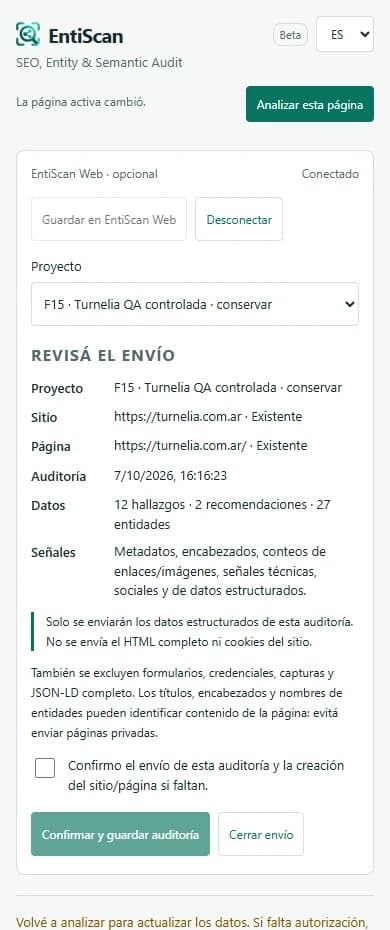
With EntiScan 0.2.0, sign in or create an account and authorize the extension.
Choose a project
Return to the extension, check the connection, and select a destination project.
Review the summary
Check the URL, date, included data, and destination before continuing.
Confirm the save
Data is sent only after you check the consent box and confirm.
Compare later
In History, open snapshots of the same page to see what changed.
View the authorization screen
PRIVACY BY CHOICE
You decide what leaves your browser.
Audits run locally. EntiScan Web is optional, and every save requires your review and confirmation.
01 / LOCAL
In your browser
- You analyze a tab you authorize
- No account or automatic uploads
- Export results on your device
02 / OPTIONAL ENTISCAN WEB
Only when you confirm
- Review the structured summary
- Choose a project and confirm the save
- Open EntiScan Web History to compare snapshots
Not sent
Full HTMLFull JSON-LDCookies or session dataForm dataScreenshotsTitles, headings, and entity names may identify content or people. Review the summary and avoid private or sensitive pages. EntiScan’s own token authenticates the optional connection.
Read the full privacy policyENTISCAN WEB · OPTIONAL
A history that helps you understand what changed.
Save reviews to a project and compare audits of the same page to spot new, resolved, and recurring findings. The chart is illustrative; your saved reviews retain their own context.
Explore the demoDemo data · Illustrative example
Findings change from one review to the next.
Three fictional series show how findings can appear, be resolved, or persist across snapshots of the same page.
Findings · scale from 0 to 10
- New
- Resolved
- Recurring
Reviews are not tied to dates or production data.
YOUR NEXT STEP
Review a page from your browser.
Start with a local audit. No account needed.